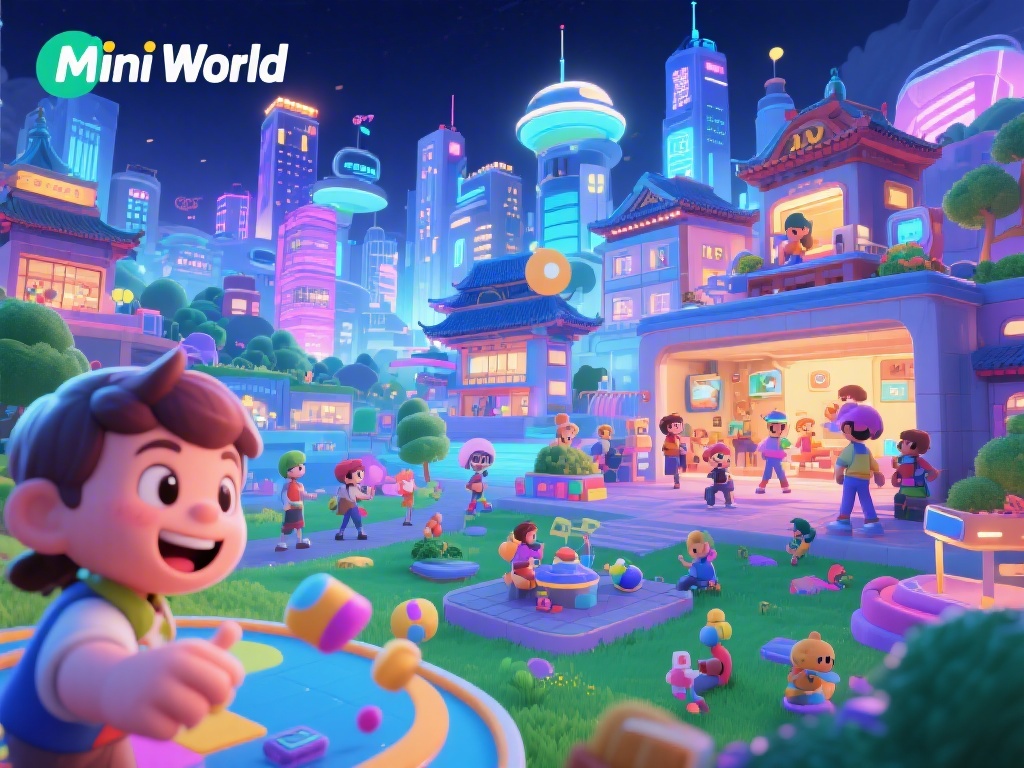
If you’ve opened Snapchat’s map tab in the last few months, you’ve probably seen it: tiny, animated versions of your friends hanging out at coffee shops, concert venues, and local parks, all inside a colorful, low-key virtual space. If you’ve asked yourself why is there a mini world on Snapchat, you’re far from alone. Thousands of users post about the feature every week, confused about whether it’s a new game, a privacy risk, or just another silly Snap gimmick. It’s actually none of those things, and once you understand the purpose behind it, you might find it’s one of the most useful social tools the platform has launched in years. We’re breaking down everything you need to know, from its core goals to how to use it without sacrificing your privacy.
Why Is There a Mini World on Snapchat? Core Goals Behind the Feature
Snap has always built its platform around casual, in-the-moment interaction, far from the overcurated feeds of other social media apps. Mini World is a natural next step in that mission, built to solve three specific pain points that users have been complaining about for years. First, it eliminates the awkward small talk required to coordinate casual meetups. You don’t have to send a generic “wyd” text to your group chat to see if anyone’s nearby; you can just check the map, see a friend’s Mini at the boba shop down the street, and pop in to say hi. Second, it reduces the pressure to perform on social media. There’s no need to post a perfectly edited story or write a clever caption to let people know what you’re up to. Your Mini just exists where you are, with optional small status updates if you want to add context. Third, it bridges the gap between online and offline socializing. For example, I ran into three separate groups of friends at a local music festival last year solely because I saw their Minis at the venue, and shot them a quick snap to find their seats. I would have never found them otherwise, since the crowd was over 10,000 people. That’s exactly the kind of low-effort, high-reward interaction Snap designed the feature for.
Key Features of Snapchat's Mini World That Make It Stand Out
Mini World isn’t just a static map with avatars. It’s packed with small, thoughtful features that make it far more useful than a basic location sharing tool. Your avatar is tied directly to your existing Bitmoji or default Snap avatar, so it already looks like you, no extra customization required unless you want to tweak it. Custom activity stickers automatically update based on your location and movement, so your Mini will show you holding a coffee cup if you’re at a café, or wearing hiking boots if you’re on a trail. You can also add manual statuses if the automatic detection isn’t quite right, like “studying for midterms” or “waiting for my Uber.” Some of the most popular features users rave about include:
A lot of people assume location sharing is mandatory to use the feature, but that’s not the case at all. You can turn off location sharing for Mini World at any time if you want to go off the grid, no questions asked. I usually toggle mine off when I’m visiting family out of state, just to keep that quiet time private, and it only takes two taps in the settings menu to adjust.
Common Misconceptions About Snapchat's Mini World Debunked
With any new location-based feature, it’s normal to have concerns about privacy and usefulness, and Mini World has its fair share of viral myths floating around TikTok and Twitter. The most common one I see is that Snapchat shares your Mini location with every single person on your friends list. That’s completely false. When you first set up Mini World, you get to pick exactly who can see your location, from a custom list of close friends to only you. You can even adjust settings for individual people, so one friend can see your full location and another can only see that you’re “around town” without exact details. Another myth is that Mini World is a useless gimmick no one actually uses. Latest internal Snap data shows over 130 million monthly active users interact with Mini World at least once a month, with Gen Z users aged 16 to 24 using it three times more often than older age groups to coordinate casual meetups. Many college campuses even have dedicated Mini World groups for students to share when free food or events are happening on campus. The biggest myth by far, though, is that Snapchat stores your location history forever. Mini World never stores your location history longer than 24 hours, per the platform’s public privacy policy, so there’s no long trail of where you’ve been saved on Snap’s servers. All location data is wiped at the end of each day, unless you explicitly save a check-in to your memories.
How to Get the Most Out of Mini World Without Sacrificing Privacy
Mini World is only useful if you feel safe using it, so taking a few minutes to adjust your settings before you dive in is well worth the time. First, curate your audience carefully. Don’t just hit “select all” when it asks who can see your location. Pick only the friends you actually hang out with in real life, so you don’t have to worry about casual coworkers or old high school acquaintances tracking your whereabouts. Second, use the status feature to cut down on unnecessary texts. If you’re going to be at the local mall for three hours shopping for a birthday gift, set that status so your friends don’t blow up your phone asking if you’re free to hang later. Third, use ghost mode liberally. If you’re having a solo day, or you’re traveling for work, just toggle ghost mode on and your Mini will disappear from the map entirely until you turn it back on. I used this last month when I was taking a solo trip to the coast, and it was nice to not have to answer questions about where I was the whole time. If you’re hosting a small gathering, you can also create a temporary group Mini event so all your invited friends can see where the party is, no need to share your address ten different times. I did this for my birthday BBQ last summer, and it cut down on 90% of the “where is your house again?” texts I usually get. Finally, know that support is available if you run into issues. You can report any inappropriate interactions related to Mini World directly through the Snapchat support tab, and the safety team usually responds within a few hours for urgent concerns.
At the end of the day, if you’ve ever wondered why is there a mini world on Snapchat, it all boils down to making casual, low-pressure social connection easier for people who are tired of overcurated, high-stakes social media. It’s not for everyone, and that’s okay. If you hate the idea of sharing your location with anyone, you can turn it off completely and never think about it again. But if you’re someone who loves spontaneous meetups and hates the back and forth of coordinating plans over text, it might become one of your go-to Snap features. I went from thinking it was a silly, useless add-on to using it at least twice a week to meet up with friends, and I haven’t missed a single local pop-up market since I started following my favorite small bakery’s Mini updates. So next time you open your Snap map and see all your friends’ Minis hanging out around town, you’ll know exactly why it’s there, and how to make it work for you.