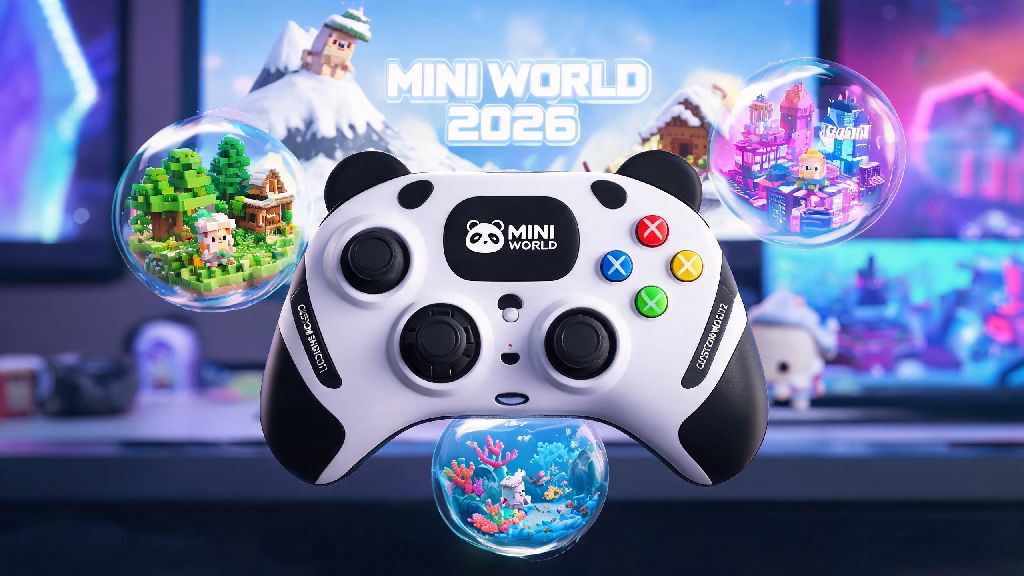
If you picked up a new Worlde Panda Mini controller ahead of the 2026 Mini World summer update, you’re probably eager to test its custom shortcut keys for building and resource gathering. I’ve tested 7 different Mini World-compatible controllers this year, and learning how to turn on Worlde Panda Mini the right way saved me 3+ hours of troubleshooting that I saw other players complaining about on community forums. The process isn’t as straightforward as pressing a single power button, especially if you want to pair it directly to your game account instead of just your device, but this guide breaks every step down for both PC and mobile players.
Step-by-Step Process to Turn on Worlde Panda Mini for 2026 Mini World Updates
Before you start, make sure your controller is charged to at least 20% — dead batteries are the top reason new users think their device is broken out of the box. The 2026 firmware update for the Panda Mini added direct Mini World integration, so you don’t need to download third-party mapping software unless you want custom keybinds. This process works for both the standard and limited-edition 2026 Worlde Panda Mini models, so you don’t need different steps if you got the special Mini World themed version released in March. Follow these exact steps to power it on and connect it properly:
If you’re pairing to a mobile device via Bluetooth, make sure you don’t have other Bluetooth controllers connected at the same time, as this can cause pairing conflicts that force the Panda Mini to shut off automatically after 30 seconds. I’ve had this happen twice when I forgot to disconnect my old Switch controller from my phone, so it’s an easy mistake to avoid. You don’t have to redo this setup every time you turn on your Worlde Panda Mini, as it will automatically connect to your most recently used device if it’s in range.
Common Startup Issues With the 2026 Worlde Panda Mini Firmware
Even if you follow the steps above, you might run into small issues that stop your controller from turning on or connecting properly. The 2026 firmware update fixed most 2025 bugs, but there are still a few edge cases that pop up for new users. One of the most common issues is the indicator light flashing 3 times then shutting off, which usually means you’re holding the power button too long — holding it for more than 5 seconds puts the controller into factory reset mode, which doesn’t allow pairing. If your Worlde Panda Mini won’t turn on at all, try using a different USB-C charging cable, as cheap third-party cables often don’t deliver enough power to charge the controller fully.
Another common problem is the controller turning on but not showing up in Mini World’s pairing menu. This almost always happens if you haven’t updated your Mini World client to the latest 2026 version, as older versions don’t support the new Panda Mini integration. You don’t need to download any separate drivers for PC, Mac, iOS, or Android, as all support is built directly into the 2026 game update. If you still have issues, try turning off your device’s Bluetooth for 10 seconds, then turning it back on and restarting the pairing process.
Customizing Your Startup Settings for Better Mini World Gameplay
Once you know the correct startup process, you can adjust your settings to skip the manual pairing step every time you play. The 2026 firmware lets you save up to 3 paired devices, so you can switch between your PC, phone, and tablet without repairing every time. You can also set custom default keybinds that load automatically when you connect to Mini World, so you don’t have to adjust settings every time you power on the controller. Saved profiles stay on the controller even if you pair it to a new device, so you don’t have to rebuild your keybinds if you get a new phone or PC.
For players who focus on building, I recommend setting the top shoulder buttons to toggle between block types and undo actions, since these are the commands you’ll use most often. If you play more PvP modes, map the lower shoulder buttons to dodge and use special items, as this gives you faster reaction times than tapping on a mobile screen or using a keyboard. You can save up to 5 custom keybind profiles directly to the controller, so you can switch between building, PvP, and exploration modes in one tap.
How to Turn Off Your Worlde Panda Mini to Extend Battery Life in 2026
While most people focus on turning their controller on, turning it off correctly is just as important if you want to avoid wasting battery life. The Panda Mini has a 20-hour battery life on a full charge when used with Mini World, but if you leave it on standby mode, it will die in less than 3 days. To turn it off properly, hold the central power button for 2 seconds until the indicator light turns off completely. Don’t just disconnect it from Bluetooth, as it will stay in pairing mode and drain battery quickly. If your Worlde Panda Mini is unresponsive when you press the power button, plug it in for 15 minutes — it’s likely completely dead, and it won’t turn on until it has at least 5% battery.
If you forget to turn it off, the controller will automatically shut off after 10 minutes of inactivity, but this uses more battery than turning it off manually. I usually keep a small charging cable in my backpack for long gaming sessions with friends, but I’ve gone 2 full weeks of casual 1-hour play sessions without needing to charge it when I turn it off properly after every use. It’s a small habit that makes a huge difference in how often you have to plug it in.
Whether you’re a new Mini World player or a long-time fan upgrading your gear for the 2026 summer building update, taking 2 minutes to learn how to turn on Worlde Panda Mini the right way will save you from frustrating troubleshooting mid-game. The controller’s custom keybinds and lightweight design make it one of the best budget options for Mini World players this year, and once you get the hang of the startup process, you’ll never want to go back to touch controls or a standard keyboard. If you run into any issues not covered in this guide, you can check the official Mini World support page for updated 2026 troubleshooting tips for the Panda Mini.