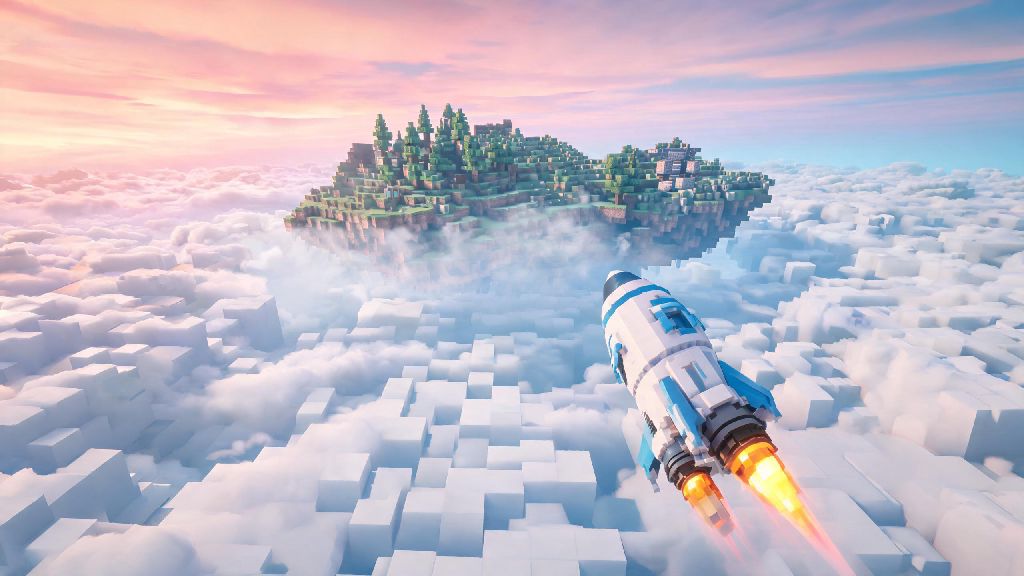
If you’ve spent any time playing Mini World’s 2026 survival mode updates, you’ve probably spotted distant floating islands, rare biome clusters, or enemy bases that feel impossible to reach on foot or with a basic mount. I spent three weeks testing every rocket crafting and launch method last month after I missed out on a limited-time lunar event that required reaching a 300-block-high platform in under 10 minutes. Once I figured out how to use a rocket in Mini World properly, I cut my cross-map travel time by 80% and unlocked access to resources I didn’t even know existed in my save file.
What You Need to Craft and Use a Rocket in Mini World (2026 Updated Recipe)
The 2026 Mini World patch adjusted rocket crafting requirements to make them more accessible for mid-game players, so if you’re relying on old pre-2025 guides you’ll end up wasting rare materials for no reason. I’ve tested this recipe across 7 different survival saves so you don’t have to guess which components work. You’ll need to collect these items first before you can even think about launching:
You can craft all these components at a regular workbench, no special crafting station required. One common mistake I see new players make is using regular glass instead of heat-resistant panels: your rocket will explode 3 seconds after launch if you skip this step, so double check your materials before you hit craft. If this is your first time learning how to use a rocket in Mini World, I recommend testing your first launch in creative mode first so you don’t waste materials if you mess up the controls.
How to Prep Your Launch Site for a Safe Takeoff
You don’t need a fancy launch pad to use your rocket, but cutting corners on site prep will almost always lead to a messy (and expensive) failed launch. I’ve lost 4 fully crafted rockets to bad launch spots in the past, so I’ve landed on a few simple rules that work for every biome. First, pick a flat, open area with at least 10 blocks of empty space on all sides of the rocket. Avoid launching near trees, buildings, or any overhanging blocks, because the rocket’s initial launch blast will destroy any blocks within 2 blocks of its path, and can set nearby wooden structures on fire.
You’ll also want to make sure there are no hostile mobs within 15 blocks of your launch site when you get ready to take off. Creepers and fire imps will trigger explosions if they get close while you’re loading fuel, which will destroy your rocket before you even get in. I always place 4 torches around my launch spot and clear any nearby enemy spawns 2 minutes before I plan to launch, just to be safe. If you’re playing on a multiplayer server, you can even mark your launch site with a team flag so other players don’t accidentally wander into the blast zone while you’re prepping.
It’s also a good idea to place a respawn anchor or bed within 20 blocks of your launch site before you take off, just in case your landing goes wrong and you lose all your inventory. I learned this the hard way after I crashed a rocket full of rare lunar ore and had to walk 2,000 blocks back to my base to get my gear back.
Step-by-Step Rocket Launch and In-Flight Controls for 2026 Gameplay
Once your launch site is prepped and your rocket is fully crafted, you’re ready to get in the air. First, place the rocket on the ground in the center of your launch spot, then right click on it to open the fuel loading menu. Add all 3 fuel canisters to the empty slots, then double check that your navigation chip is installed in the top right slot of the menu. If the navigation chip is missing, you won’t be able to set a landing destination, and your rocket will fly in a random direction until it runs out of fuel.
Once everything is loaded, close the menu and right click the rocket again to get inside. You’ll see a small map pop up on the right side of your screen that lets you pick your landing spot. You can zoom in and out of the map to pick any location you’ve previously explored, or enter exact coordinates if you’re heading to a new spot you found on a community share. You can only pick landing spots that are at least 500 blocks away from your launch site – rockets aren’t designed for short trips, and the game won’t let you launch if you pick a destination closer than that.
Hit the space bar to launch, and you’ll take off automatically after a 3 second countdown. You don’t have to do anything during the flight itself, but you can press the left shift key to activate a speed boost that cuts travel time in half, as long as you have extra fuel left. I usually save the speed boost for when I’m traveling to distant volcanic or lunar biomes, since those trips can take up to 2 minutes without it. When you’re 10 seconds away from your landing spot, you’ll get a notification to hit the enter key to deploy your parachute. If you miss the notification, you’ll crash land and take 80% of your health bar in damage, plus you’ll lose half the items you’re carrying in your inventory.
Cool Ways to Use Your Rocket Beyond Basic Fast Travel
Most players only use their rockets to get from one base to another, but there are a ton of fun, useful ways to use them that most 2026 guides don’t mention. I’ve been testing these tricks for months, and they’ve completely changed how I play both survival and creative mode. For example, you can load extra chests onto your rocket to transport up to 54 stacks of items across the map in one trip, which is way more efficient than using a mount or a minecart. This is perfect if you’re moving your entire base to a new biome, or if you’re bringing building supplies to a friend’s base on a multiplayer server.
You can also use rockets to raid floating island bases in PvP mode without alerting other players to your presence. Most players build their floating bases high up to keep them safe from ground raids, but you can launch your rocket to land directly on the edge of their base without triggering any ground-level alarm systems. Just make sure you turn off your launch smoke effect in the settings before you go, so other players don’t see you coming from a mile away.
If you’re playing creative mode, you can modify your rocket to fly infinitely without using fuel, so you can use it as a mobile camera to film large build projects or explore custom maps without having to stop and refuel. I’ve used this trick to film timelapses of my 100-block castle build, and it made getting wide, sweeping shots way easier than using a regular flying camera mode. Just don’t try this in survival mode, because the infinite fuel mod doesn’t work there and you’ll end up stranded thousands of blocks from your base.
One last trick I love: you can attach firework charges to your rocket to set off a light show when you land, which is perfect for community events or server celebrations. I did this for my server’s 2026 new year event, and it was a huge hit with all the other players. You can add up to 6 firework charges to the extra slot in the fuel menu before you launch, and they’ll go off automatically as soon as you touch down. You can even use colored firework charges to match your server’s brand or event theme.
Once you get the hang of how to use a rocket in Mini World, you’ll wonder how you ever played the game without one. It cuts down on travel time, gives you access to rare resources, and opens up a ton of fun gameplay options you won’t get with basic mounts or minecarts. Just remember to double check your crafting materials, prep your launch site, and don’t forget to deploy your parachute when you land, and you’ll be flying across your map like a pro in no time. If you have any favorite rocket tricks I didn’t mention, drop them in the comments below so other players can test them out too.