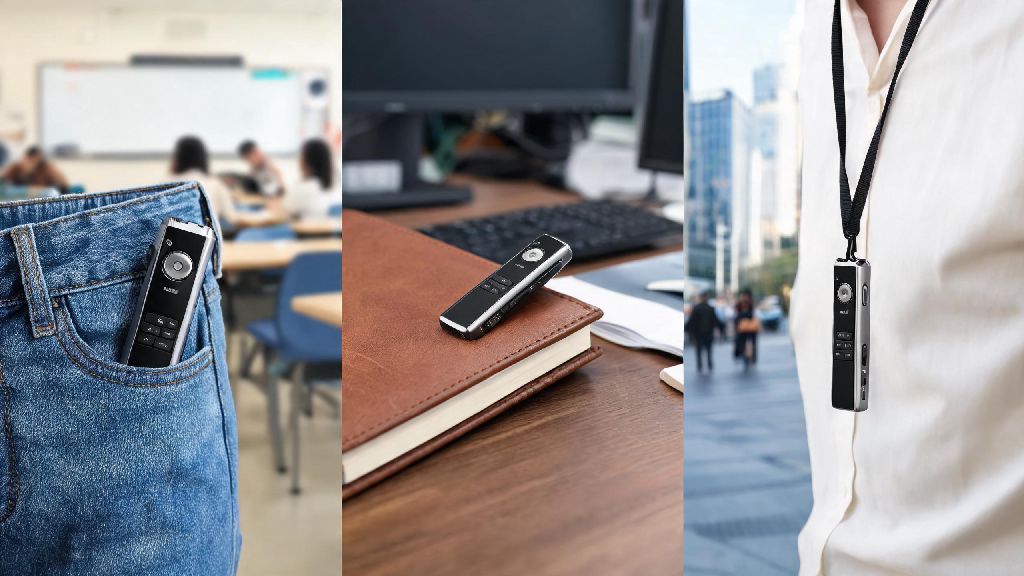
2026 has brought us smaller, more powerful portable tech than ever before, and if you’ve recently picked up the tiny, discreet recording device, you’re probably curious about how to use mini dv world's smallest voice recorder for all your daily needs. I’ve tested this little gadget for the past three months for everything from college lecture capture to quick work meeting notes, and it’s far more versatile than most people assume at first glance. It fits easily in a pocket, a notebook slot, or even a lanyard, so you never have to miss an important moment again because you fumbled with a bulky recording app on your phone.
Unboxing and Initial Setup for the Mini DV World's Smallest Voice Recorder
When you first open the box, you’ll find the recorder itself, a USB-C charging and transfer cable, a foam wind cover, a small lanyard, and a user manual that’s surprisingly easy to follow. Charging for 90 minutes before first use is highly recommended, even if it has a small amount of residual battery out of the box, to ensure you get the full 12-hour battery life per charge. The single multi-function button handles all controls: hold it for 3 seconds to turn it on, press once to start recording, press again to pause, and hold for 3 seconds to turn it off. The mini dv world's smallest voice recorder only has one button, so the setup process takes less than two minutes total. You don’t need any special software to access files, just plug it into any laptop or Android or iPhone via the included adapter, and you can drag and drop recordings directly to your device storage.
Top Use Cases for 2026 That Make This Recorder Worth Buying
Most people buy this recorder for one specific use, but it works for far more scenarios than you might expect. I’ve used it in all of the following situations with zero issues, and I’ve heard from other users that it works for even more niche use cases too.
If you plan to transcribe your recordings later, make sure you record in WAV format instead of MP3 for higher accuracy, even if the file sizes are a bit larger. You can pair the exported files with our 2026 roundup of the best free audio transcription tools to turn hours of audio into editable text in minutes. I’ve used this combination for all my work interview notes this year, and it cuts my post-meeting work time in half.
Common Mistakes to Avoid When Using This Mini Recorder in 2026
Even though this device is super easy to use, I made a handful of mistakes during my first few weeks of testing that cost me some important recordings, so I’m sharing them to help you skip the frustration. First, don’t cover the small microphone hole on the side of the recorder with your finger or a case, because that will muffle all audio and make your recordings almost unusable. Always test a 10-second recording before you start an important session to make sure the device is turned on and the microphone is not blocked. So many people skip this step and end up with hours of blank or muffled audio that they can’t use for their school or work projects. Don’t store it in a pocket with loose change or keys, because the multi-function button can get pressed accidentally, leading to hours of blank recordings or dead battery when you actually need it. You can buy a cheap silicone case for it in 2026 for less than $5 that prevents accidental button presses, which is a worthwhile investment if you carry it in your pocket every day. Also, don’t forget to back up your recordings every week, because the small SD card can get corrupted if you drop the recorder or unplug it while it’s writing files.
How to Troubleshoot Common Issues With the Device
Even if you follow all the best practices, you might run into small issues every now and then, and most of them are super easy to fix without sending the device back for a replacement. If your recordings are coming out with static or crackling, first check if the foam wind cover is dirty or damaged, and replace it if needed. Replacement covers cost less than $1 for a pack of 10 on 2026 e-commerce sites, so it’s easy to keep spares on hand. If the device won’t turn on, try charging it with a different USB-C cable, because some cheap 2026 charging cables don’t carry enough power for small low-voltage devices like this one. If your files won’t show up when you plug it into your computer, try using a different USB port, or make sure the SD card is inserted correctly into the slot on the side of the recorder. If none of these fixes work, you can reset the device by holding the multi-function button for 15 seconds, which will erase any corrupted settings but won’t delete your saved recordings.
At the end of the day, learning how to use mini dv world's smallest voice recorder is far simpler than most people expect, and it’s one of the most useful small tech gadgets I’ve bought in 2026. Whether you use it for school, work, creative projects, or personal use, it’s reliable, discreet, and produces far better audio quality than most phone recording apps for the price. Just follow the setup tips, avoid the common mistakes we covered, and you’ll never miss an important moment or idea again.